Home Overview
Home is the first page you see when you open SegmentIQ. It shows your discount verdict and how discounts perform across your customer segments.
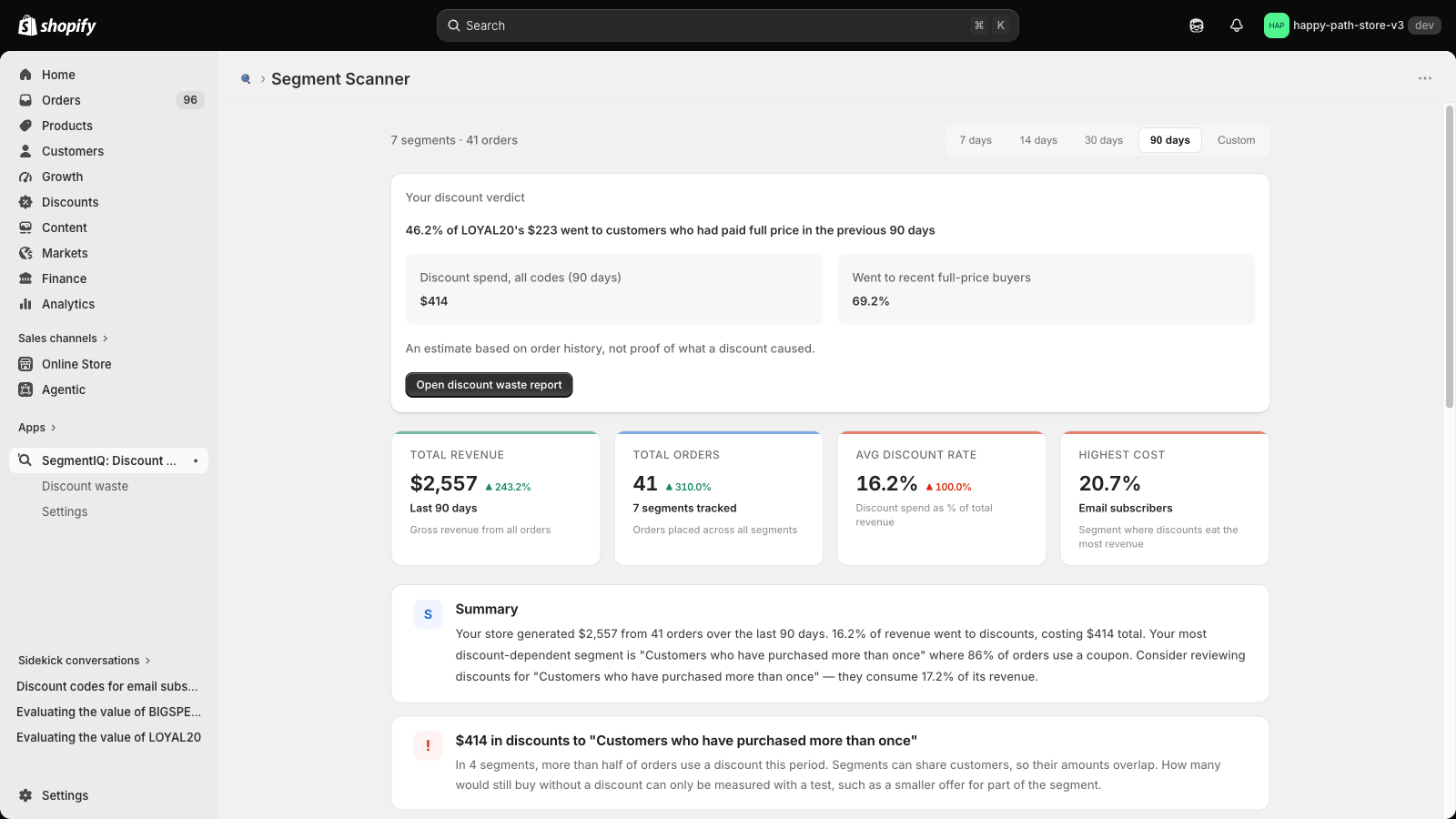
Date filter
At the top right, choose 7 days, 14 days, 30 days, 90 days (the default) or a Custom range. Everything on Home updates for that period. See Date Range.
Your discount verdict
The verdict looks at your biggest discount code over the last 90 days and shows how much of its discount spend went to customers who had paid full price in the previous 90 days. It also shows your total discount spend across all codes and the share that went to recent full-price buyers.
A code needs at least 10 redemptions to get a verdict. On Pro, the button opens the full discount report; on the free plan it starts the 14-day Pro trial.
Summary cards
| Card | What it shows |
|---|---|
| Total revenue | Gross revenue from all orders in the period, with the change against the previous period |
| Total orders | Orders placed across all segments, with the change against the previous period |
| Avg discount rate | Discount spend as a percentage of total revenue |
| Highest cost | The segment where discounts take the biggest share of revenue |
Summary and alerts
A plain-English summary of the period, followed by alerts for anything worth a closer look, such as a segment where most orders use a discount.
Segment Performance table
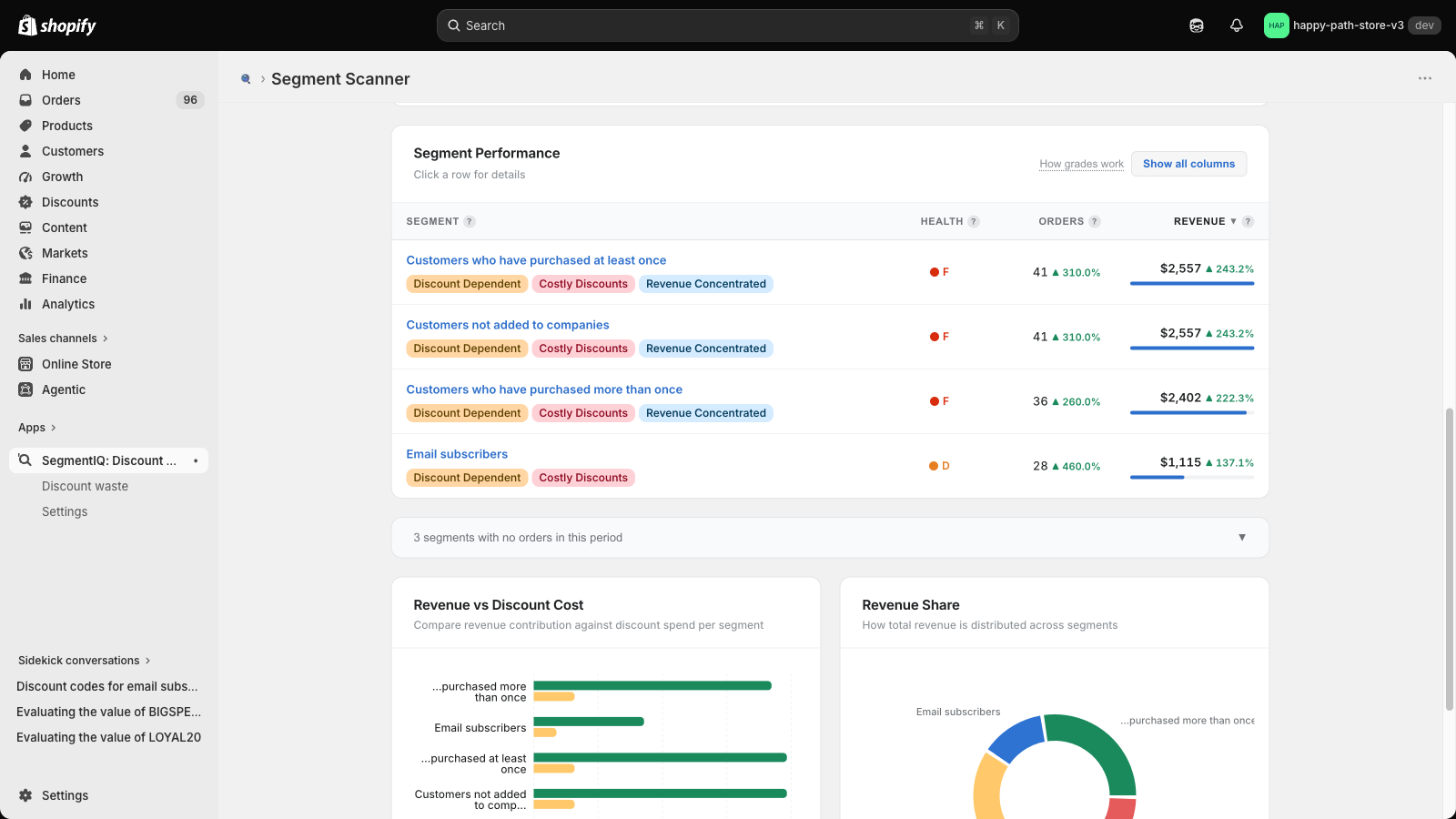
One row per customer segment with orders in the period:
- Segment — the segment name from your Shopify admin, with any insight badges
- Health — a grade from A to F (see How grades work)
- Orders and Revenue — with the change against the previous period
Click Show all columns to add average order value (AOV), discount rate, discount cost and discount cost as a percentage of revenue. Click a row to open the segment detail. Segments with no orders in the period are collapsed below the table.
Charts
Revenue vs Discount Cost and Revenue Share show how revenue and discount spend are spread across segments. See Charts.
Data freshness
New and updated orders arrive automatically, and segment membership refreshes every night. Metrics are pre-computed, so Home loads quickly.