Your First Look
When the first sync finishes, SegmentIQ opens Home. Here's what to look at first.
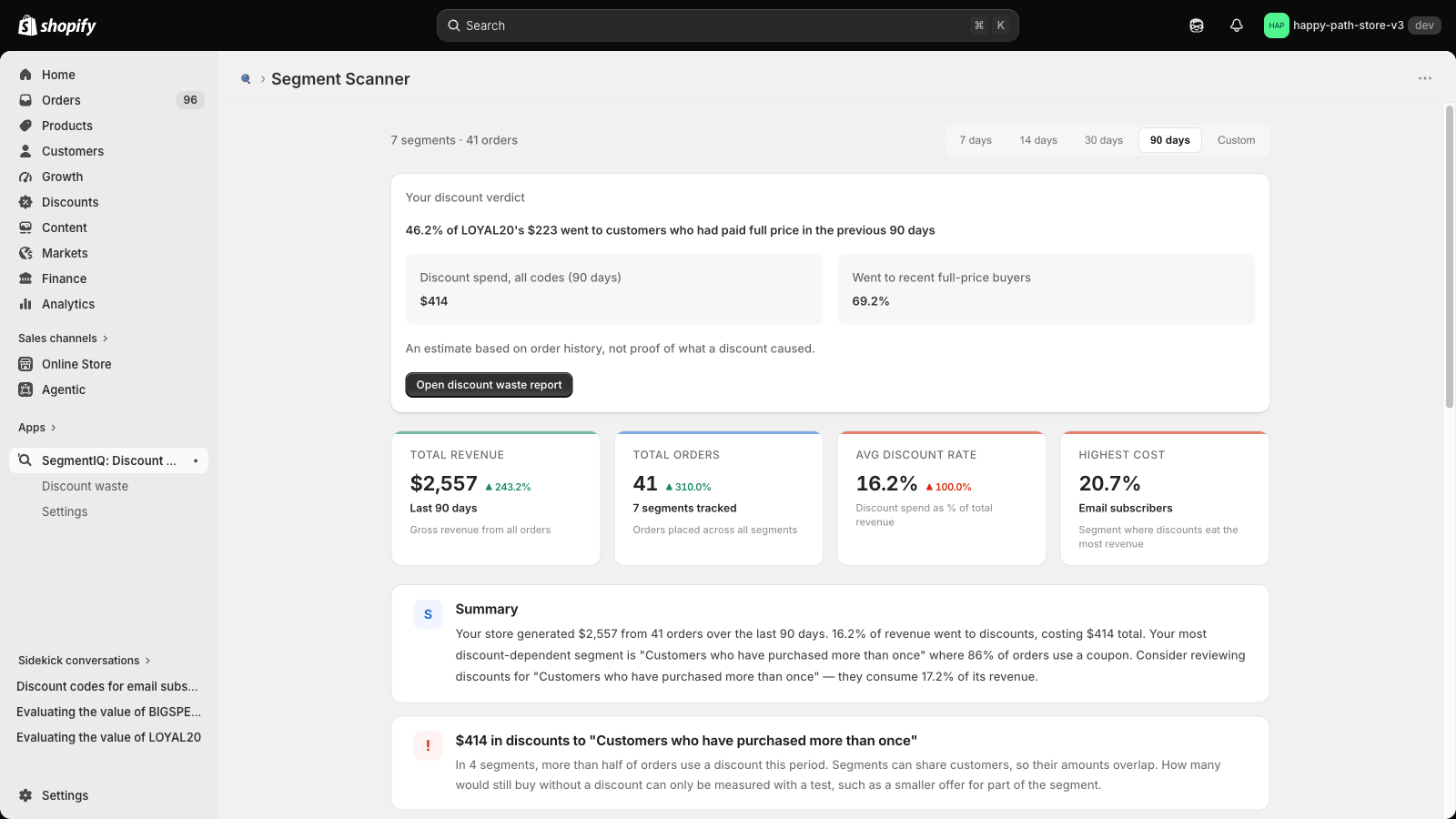
- Your discount verdict — how much of your biggest code's discount spend went to customers who had recently paid full price
- Summary cards — revenue, orders, discount rate and your highest-cost segment
- Segment Performance — which segments use discounts most, with health grades and insight badges
See the Home overview for every section.
If something looks empty
No verdict
A code needs at least 10 redemptions in the last 90 days to get a verdict. If your codes are newer or used less, the verdict appears once they reach that level.
No segments found
Your store has no customer segments yet. Create some in Customers → Segments in your Shopify admin, then start a re-sync from Settings.
No orders in the date range
Choose a longer range with the date filter, for example 90 days.
No discounted orders
None of the orders in the period used a discount. SegmentIQ picks up discounted orders automatically as they happen.
A "Low Data" badge
The segment has fewer than 20 orders in the period, so treat its numbers with caution or choose a longer range.