Segment Detail Modal
Click on any segment card to open the detail modal, which shows the full breakdown for that segment.
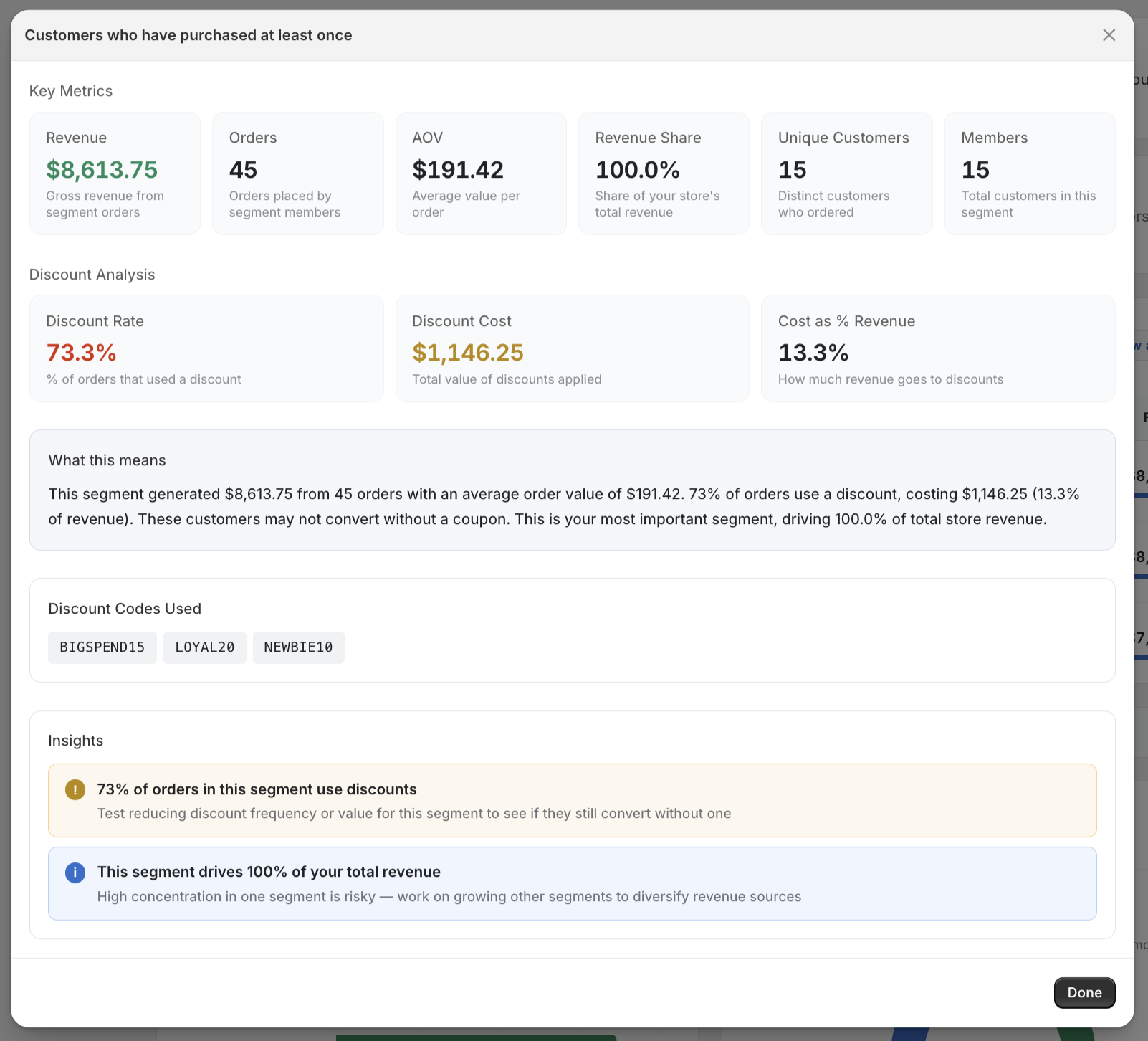
What's Included
Full Metrics Table
All seven metrics displayed in a clear table format:
- Revenue
- Orders
- Average Order Value
- Discount Rate
- Discount Cost %
- Revenue Share
- Unique Customers
Discount Codes Used
A list of the specific discount codes that customers in this segment used during the selected period. This helps you map specific promotions to specific segments and understand which campaigns are reaching which audiences.
Actionable Insights
Any insights generated for this segment are shown with expanded descriptions explaining:
- What the insight means
- Why it matters
- What you might consider doing about it
Using the Detail View
The detail modal is the best place to go when you want to understand a specific segment deeply. Use it to:
- Compare metrics — is this segment's AOV higher or lower than average?
- Identify discount codes — which promotions are driving orders in this segment?
- Act on insights — read the expanded insight descriptions for specific guidance